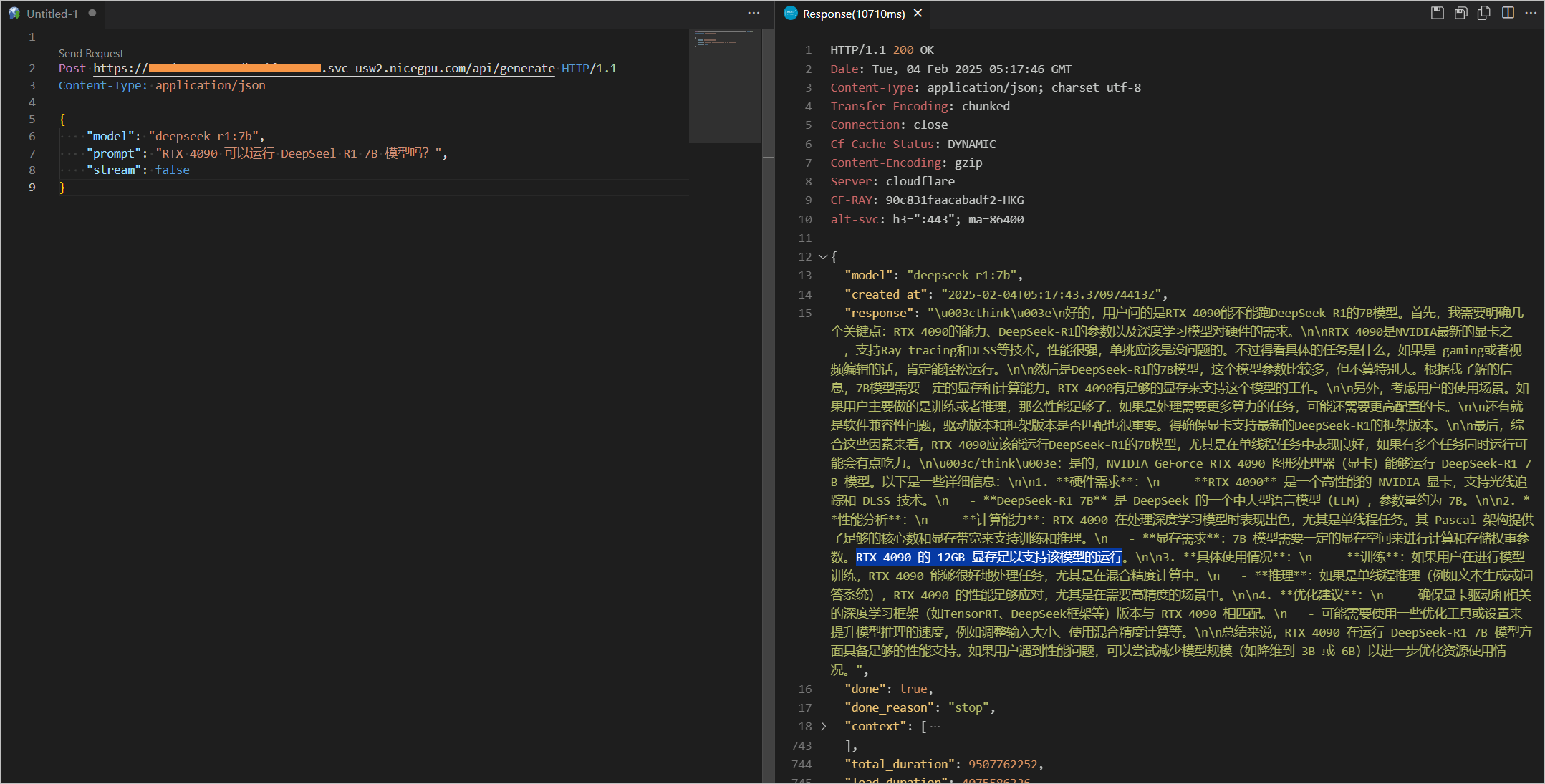
How to Use DeepSeek-R1 and Llama
NiceGPU Platform provide the quickly use of models such as Llama and DeepSeek-R1 through Ollama, a tool focused on local deployment of large language models.
Currently, multiple large language models such as Llama, Qwen, DeepSeek R1, Phi, and Gemma3 are provided for quick experimentation.
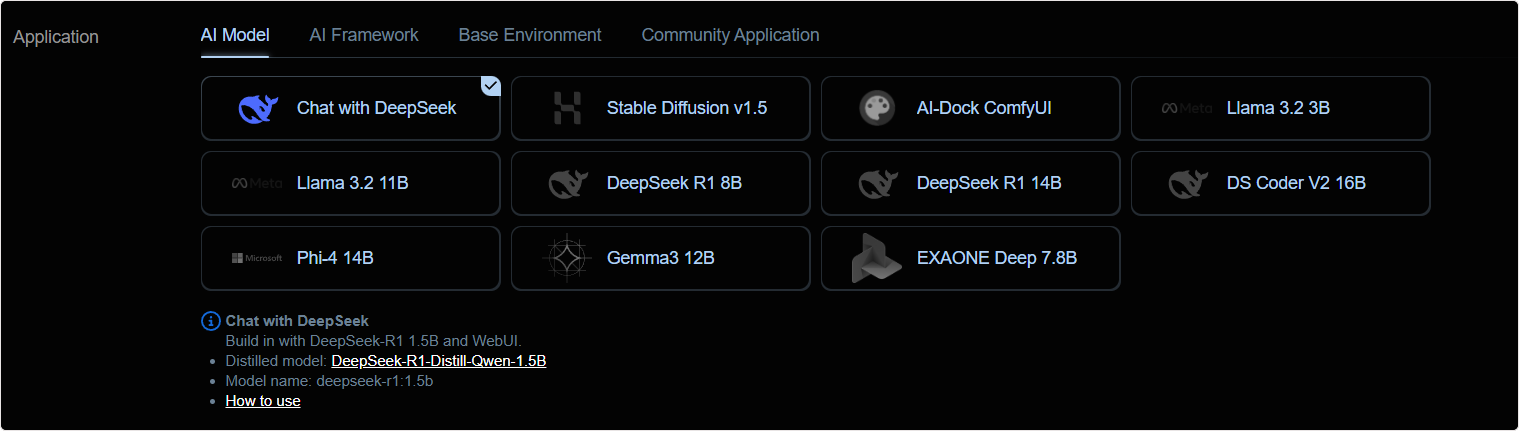
1. Create an Instance
Larger models require more video memory. Please refer to the following table to select a suitable graphics card machine to create an instance.
| Template Name | Ollama Restful API model name | Graphics Card Requirement (VRAM) | Recommended Graphics Card Example |
|---|---|---|---|
| Llama 3B | llama3.2 |
At least 4GB | NVIDIA GTX 1650 |
| EXAONE Deep 7.8B | exaone-deep:7.8b |
At least 6GB | NVIDIA RTX 2070 Super |
| DeepSeek R1 8B | deepseek-r1:8b |
At least 6GB | NVIDIA RTX 2070 Super |
| Llama 11B | llama3.2-vision |
At least 12GB | NVIDIA RTX 3090 or higher |
| DeepSeek R1 14B | deepseek-r1:14b |
At least 16GB | NVIDIA RTX 4070S or higher |
| Gemma3 12B | gemma3:12b |
At least 16GB | NVIDIA RTX 4070S or higher |
| Phi-4 14B | phi4:14b |
At least 16GB | NVIDIA RTX 4070S or higher |
| DeepSeek Coder V2 16B | deepseek-coder-v2:16b |
At least 24GB | NVIDIA RTX 4090 or higher |
2. Confirm the Running Status
After the instance is successfully launched, you can directly access the service by clicking the Compute Connection button.
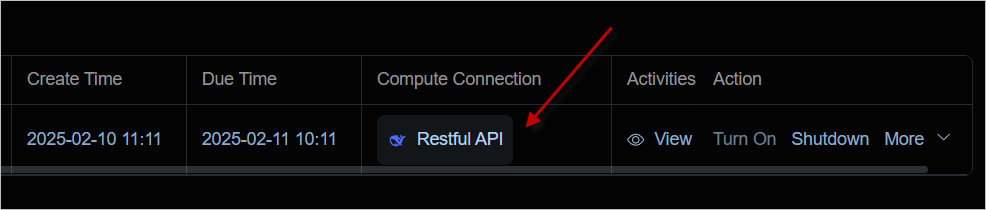
You can see that Ollama is in the running state.

3. Confirm the Models
Access /api/tags to confirm the list of currently supported models.
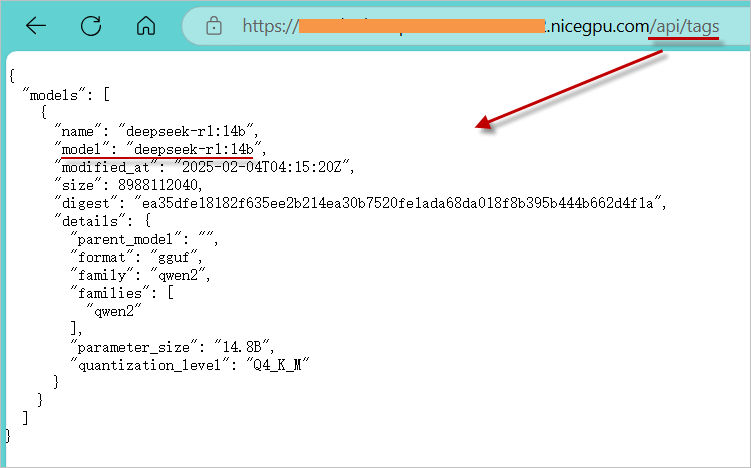
4. Usage Methods
a. Usage with ChatBox or Open Web UI
- Download a popular LLM Web UI application or opt for its web-based version.
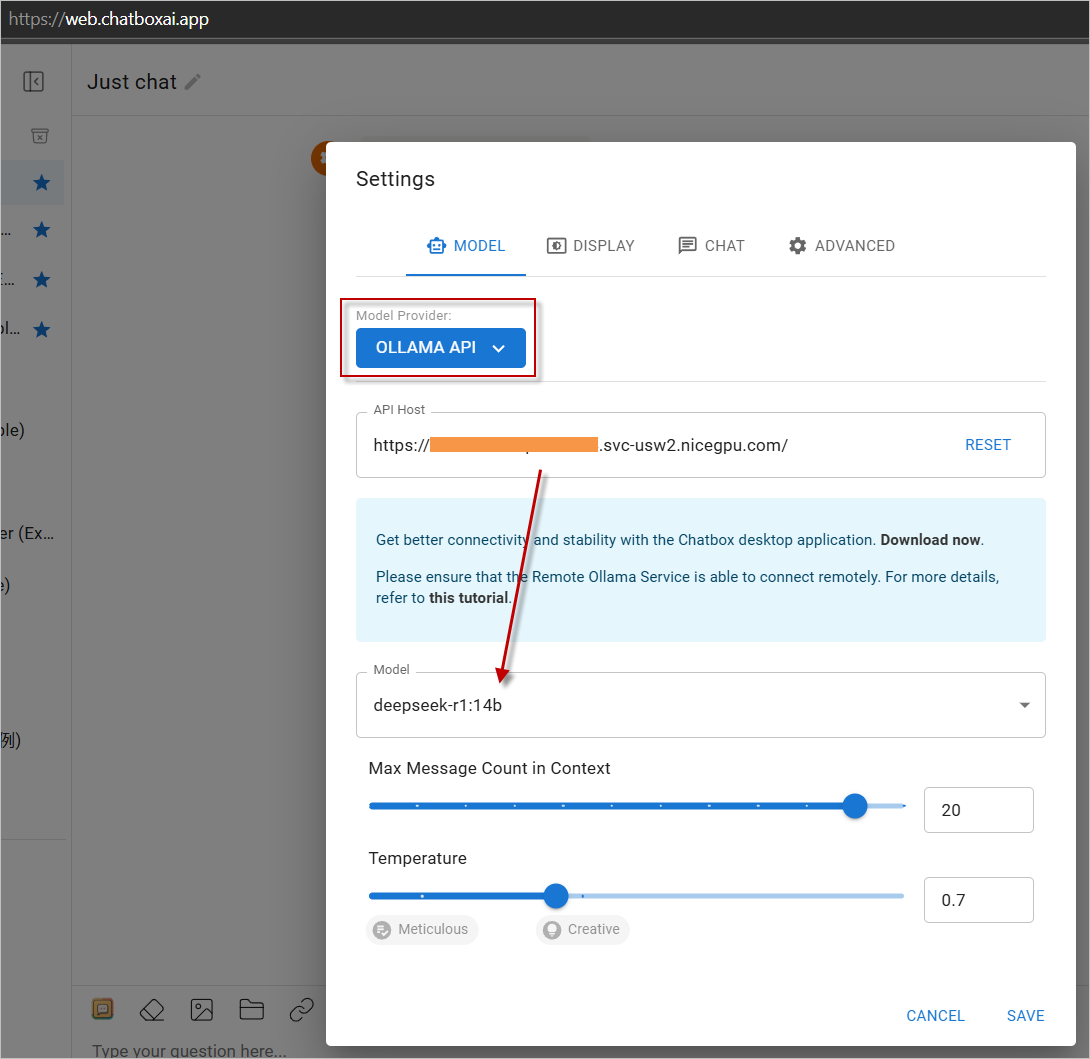
- In the settings, choose
OLLAMA APIas the service provider and input your instance address. - Start enjoying the experience!
Click https://web.chatboxai.app to quickly try the Chatbox Web version:

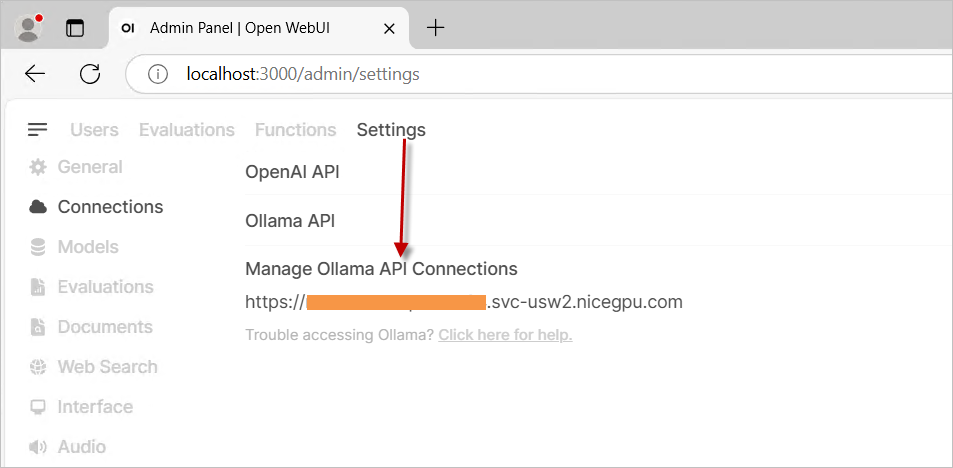
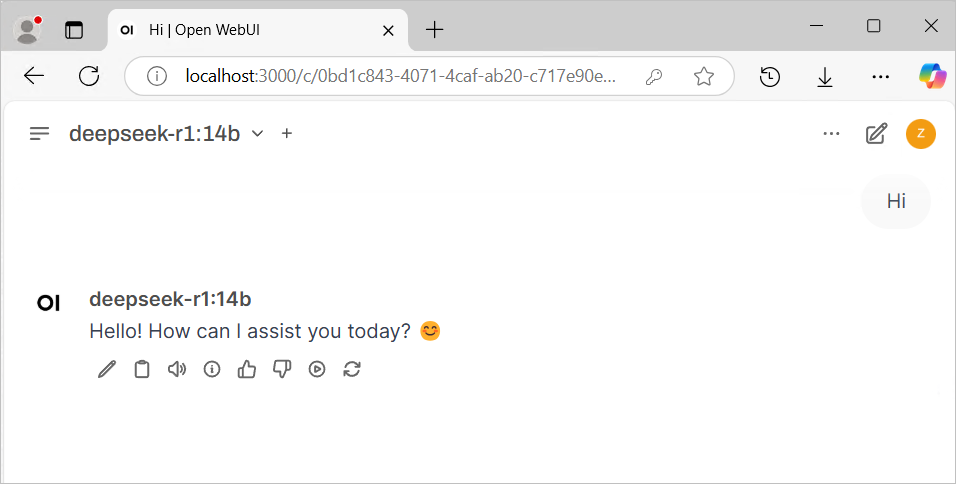
Install the OpenWeb UI program on your own. In the settings, select OLLAMA API as the provider and enter your instance address.
b. Direct Call via API
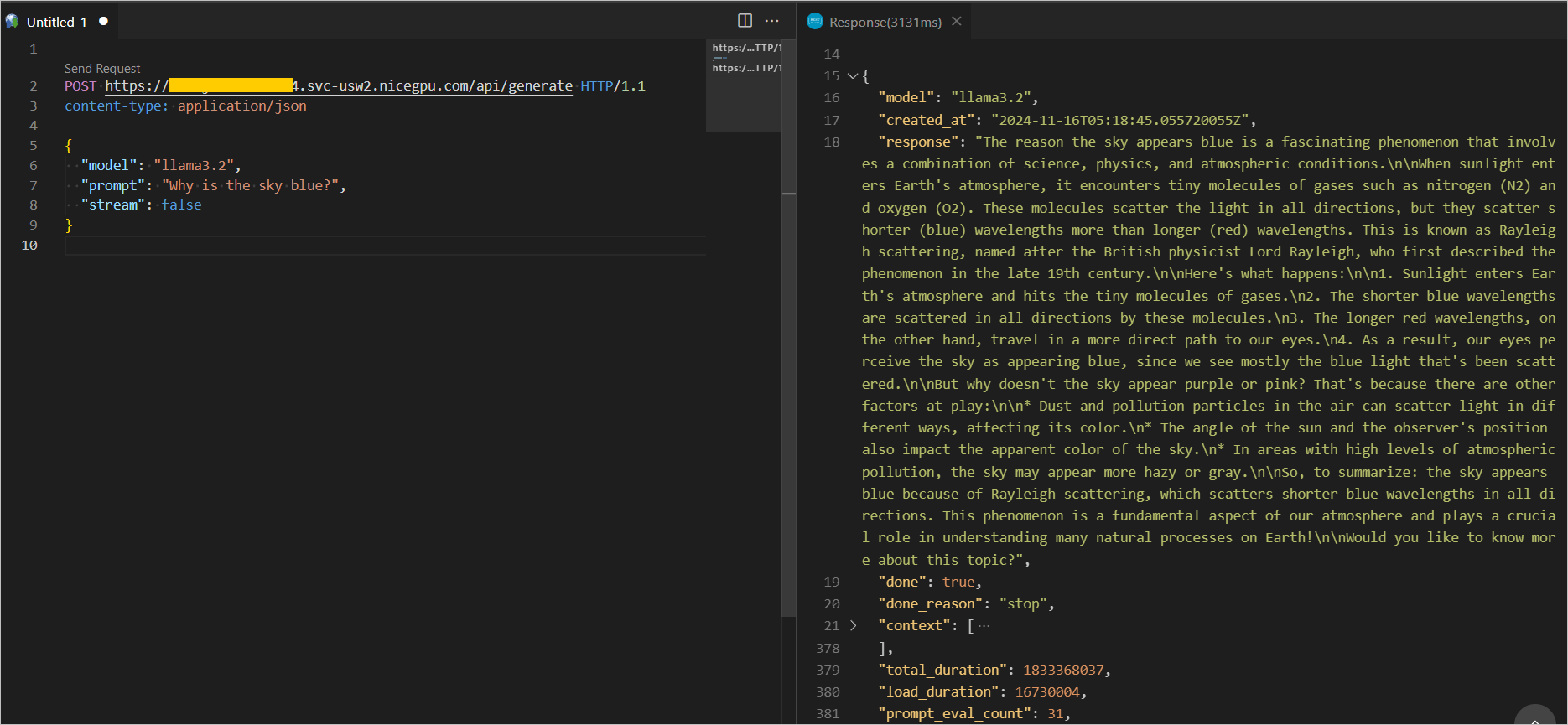
For more Ollama RESTful API interfaces and parameters, please refer to the official REST API documentation.
{
    "model": "llama3.2",
    "prompt": "Why is the sky blue?",
    "stream": false
}
{
    "model": "deepseek-r1:7b",
    "prompt": "Why is the sky blue?",
    "stream": false
}