Business - Quickly Set Up Comfy UI
Scenario
Frank is an AI engineer at an internet company.
He hopes to utilize the company's shared computing power platform to quickly build an image generation platform based on Stable Diffusion and provide it for use through API integration with the company's systems.
1. Register and create an instance.
After registering an account on NiceGPU, Frank used 10 NCU to create an instance configured with 4xNVIDIA RTX 4090 cards and used the ComfyUI application template.

- What is NCU?
- 1 NCU is equivalent to the computational power of one A100 GPU that you can use continuously for 24 hours on our platform.
- Examples of usage scenarios and corresponding task volumes for NCU:
- Small-scale machine learning model training:
- Task: Train a simple image classification model (such as cat-dog classification).
- Required NCU: 0.1-0.5 NCU. Small models have low computational resource requirements, and a small amount of NCU can meet these needs.
- Basic natural language processing tasks:
- Task: Conduct basic NLP tasks such as text classification and sentiment analysis.
- Required NCU: 0.2-1 NCU. These tasks have moderate computational resource demands and are suitable for students to experiment and explore.
- Data preprocessing and feature engineering:
- Task: Clean, transform, and extract features from large-scale datasets.
- Required NCU: 0.5-2 NCU. Data preprocessing is an important part of machine learning and requires significant computational resources.
- Factors affecting NCU requirements:
- Model complexity: The larger the model parameters, the greater the computational load, and the more NCU required.
- Dataset size: The larger the dataset, the longer the training time, and the more NCU required.
- Training accuracy: Higher training accuracy typically requires more training iterations, thereby consuming more computational resources.
- Model optimization algorithms: Different optimization algorithms have varying demands for computational resources.
2. Created a custom workflow.
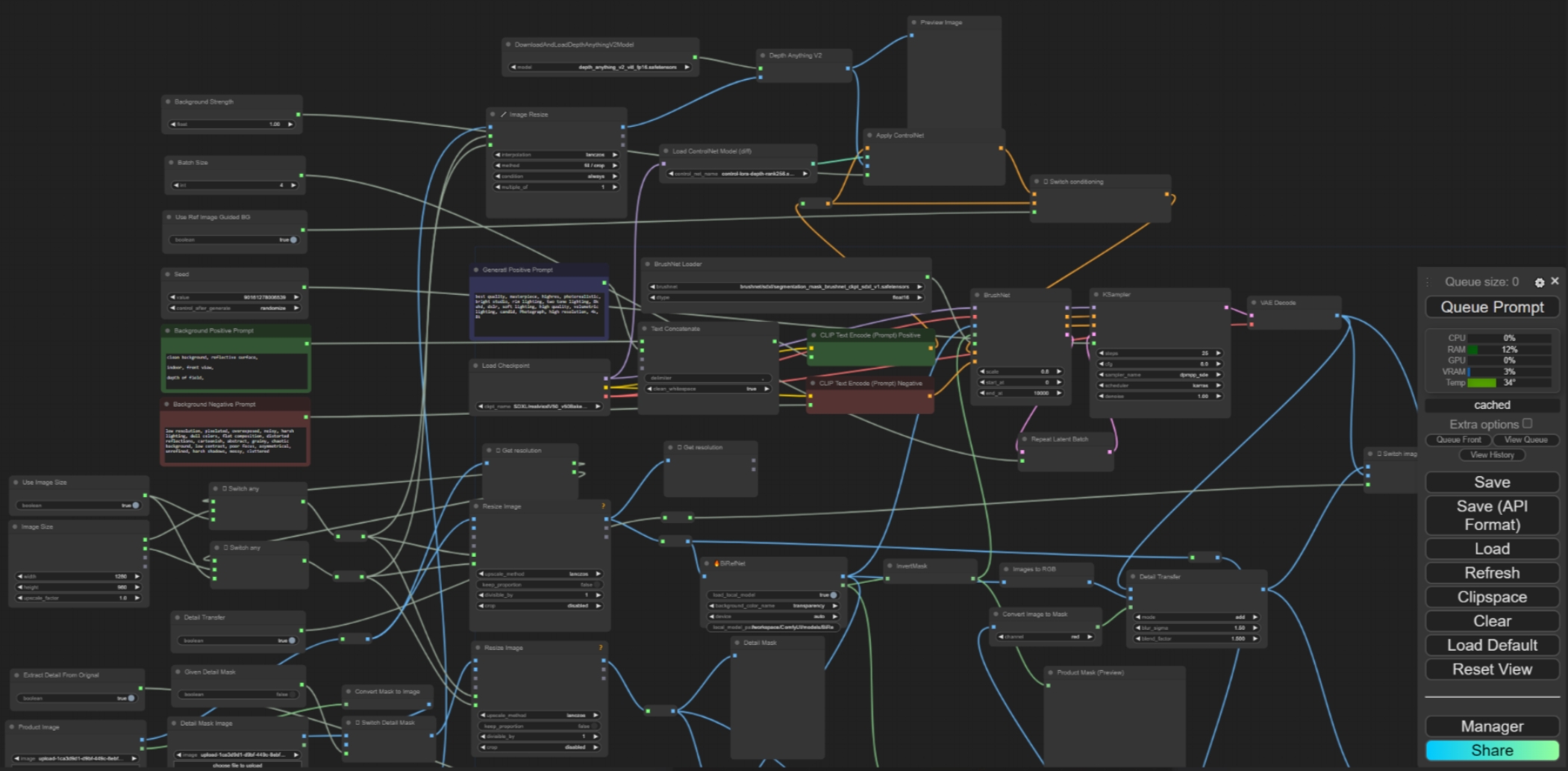
Frank created a custom workflow in ComfyUI, which includes:
- Text Prompt Engineering: He designed a detailed set of prompt templates to generate images in different styles.
- Model Selection: He chose the appropriate Stable Diffusion model based on different requirements.
- Image Post-processing: He added steps such as image denoising and super-resolution to improve image quality.
3. Deployed the API.
Frank enabled the API feature in ComfyUI settings and set up the access port and key.
curl http://localhost:7860/api/generate/images \
  -H "Authorization: Bearer your_api_key" \
  -X POST \
  -d '{"prompt": "a cat playing chess"}'
4. Provided AI image generation services.

5. Summary
By leveraging the shared computing power platform and Comfy UI, Frank quickly built a powerful image generation platform, providing convenient AI image generation services for his company.