Quick Start with DeepSeek
The platform provides a simple model that allows you to quickly experience the capabilities of DeepSeek (and other Ollama-based models).
1. Create an Instance
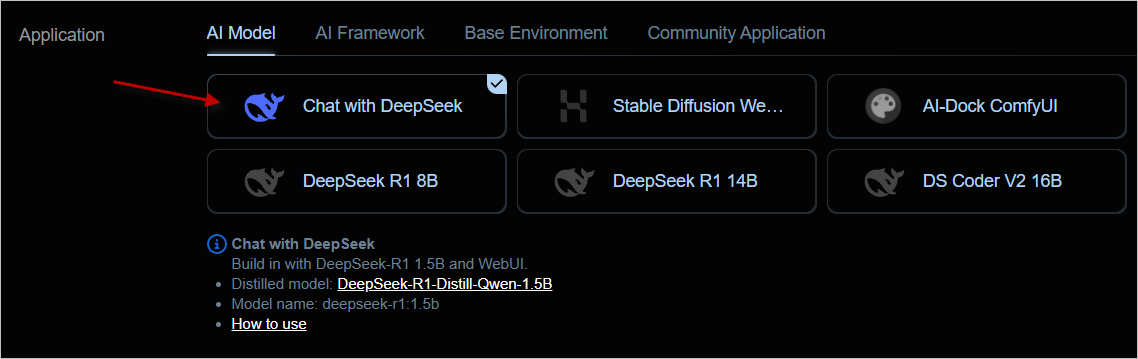
In the instance list, select the first Chat with DeepSeek template, then choose an appropriate machine to create the instance.
This template comes with the
deepseek-r1:1.5bmodel, which can run smoothly on almost any machine.
2. Usage
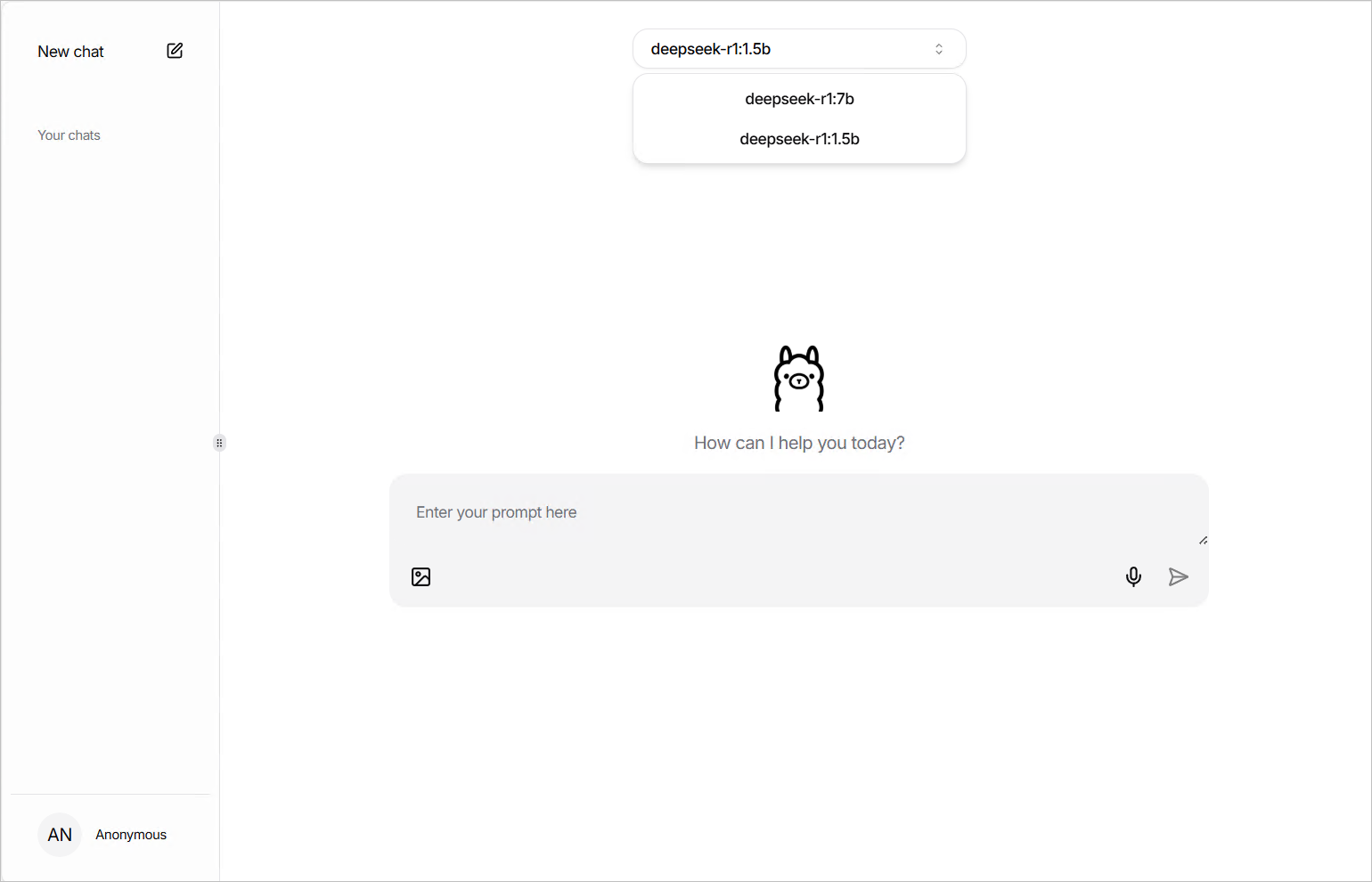
After the instance starts, open the chat interface via the WebUI button connected by computing power, then select the built-in deepseek-r1:1.5b model.

3. (Optional) Use Other Models
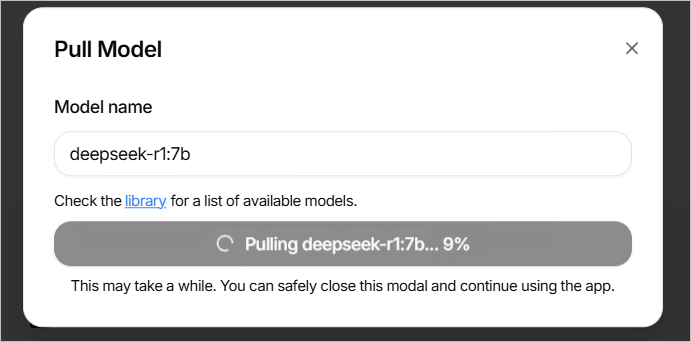
The built-in WebUI of this template uses the open-source project https://github.com/jakobhoeg/nextjs-ollama-llm-ui, which supports downloading other models online. Click the pull model button at the bottom left and enter the correct model name to download and use it.
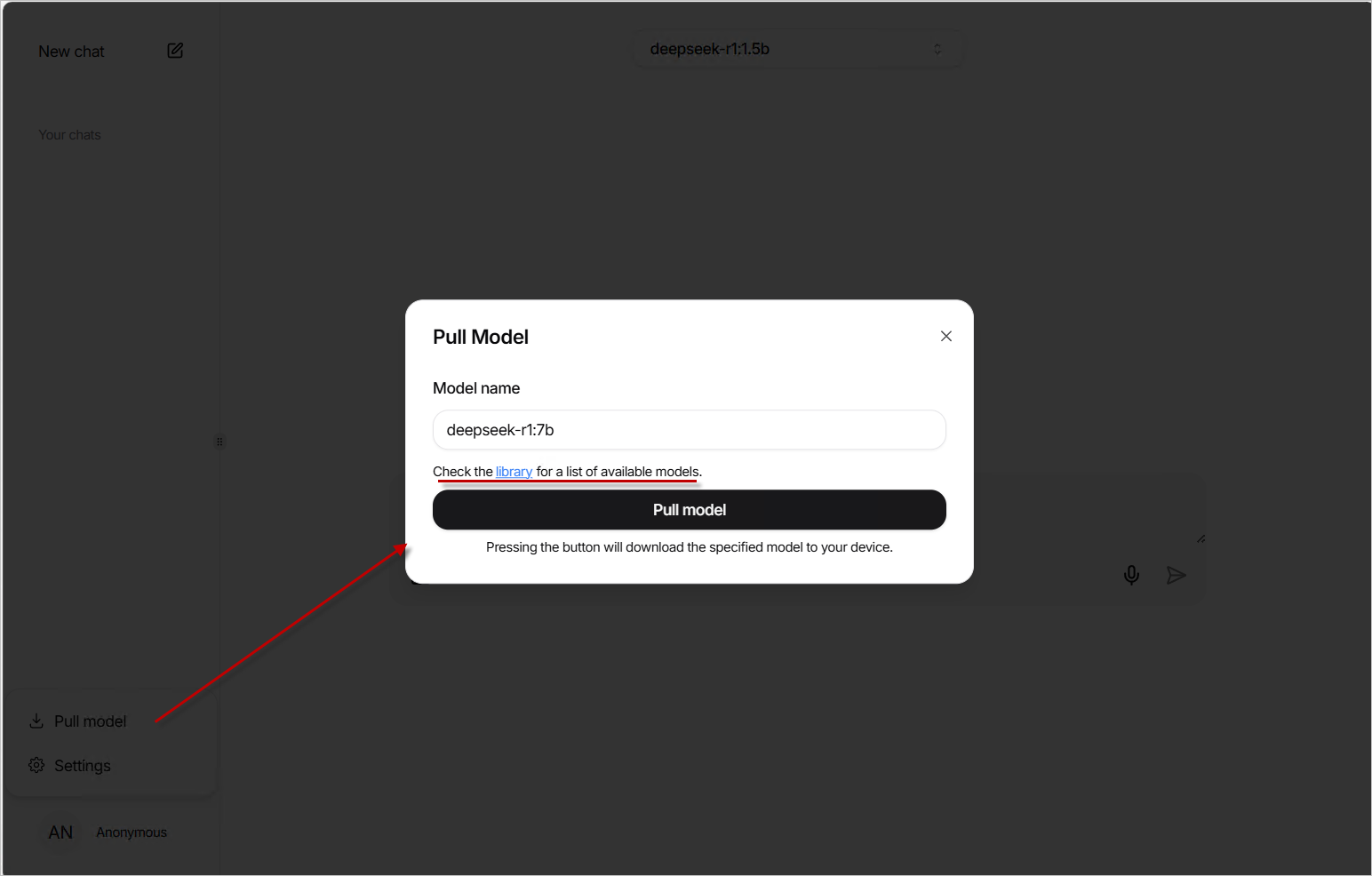
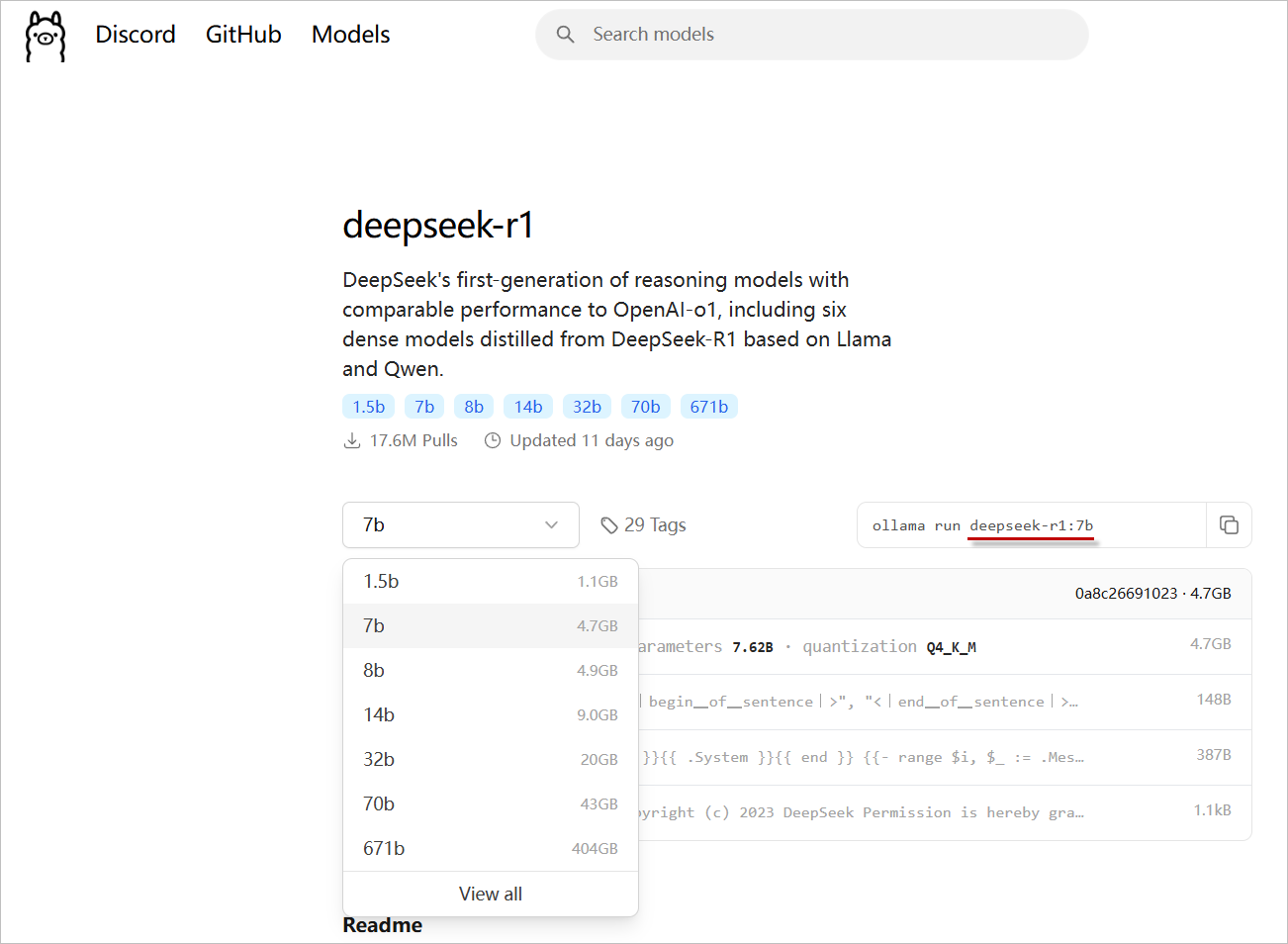
You can find model names by clicking library.
Once the download is complete, you can switch to using the new model.
4. Other Usage Methods
This template also provides a Restful API interface, allowing you to integrate with other Web tools that support the Ollama API or directly call it via HTTP tools.
a. Using Chatbox or Open Web UI
- Download mainstream large language model Web UI programs, or use the Web version.
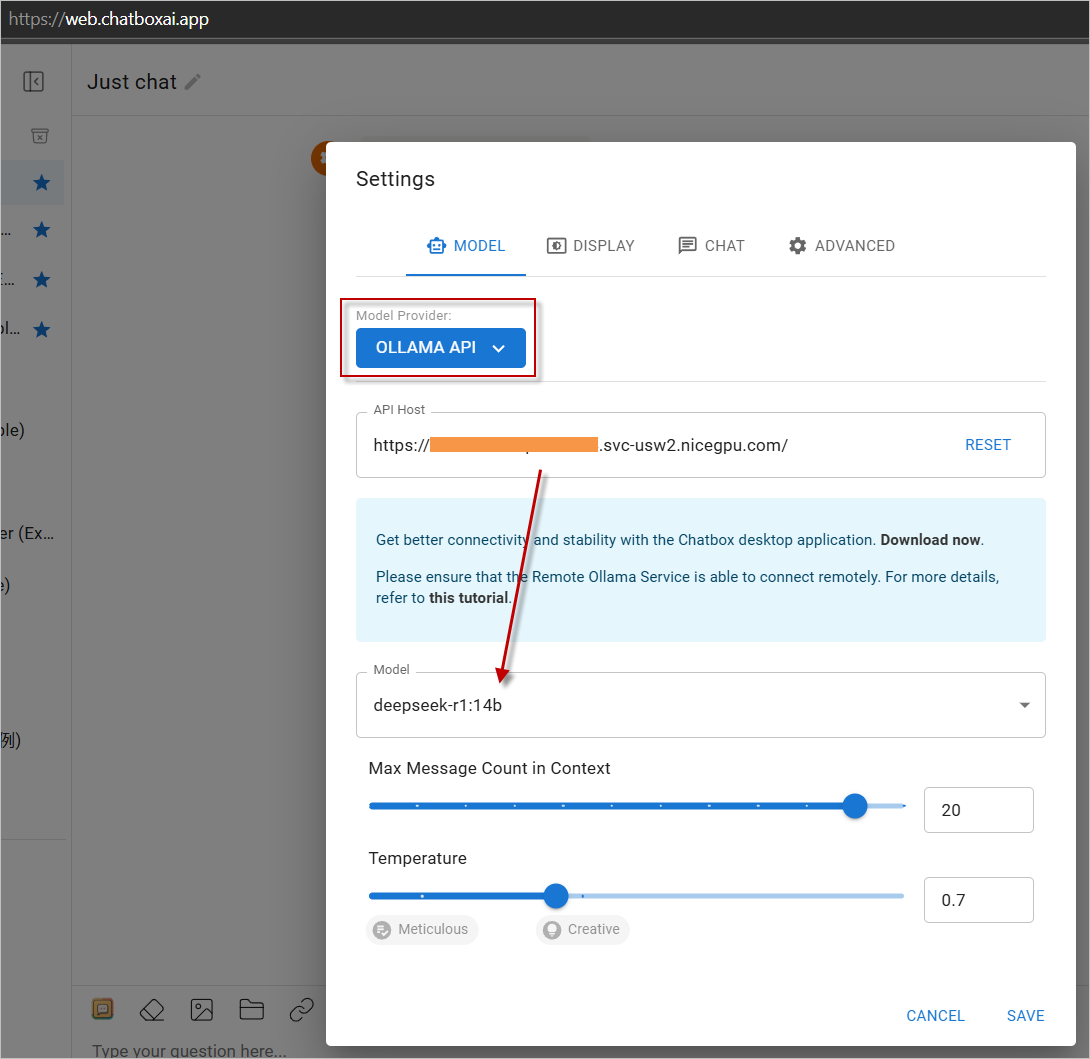
- In the settings, choose
OLLAMA APIas the provider and enter your instance address. - Start using it!
Click https://web.chatboxai.app to quickly try the Chatbox Web version:

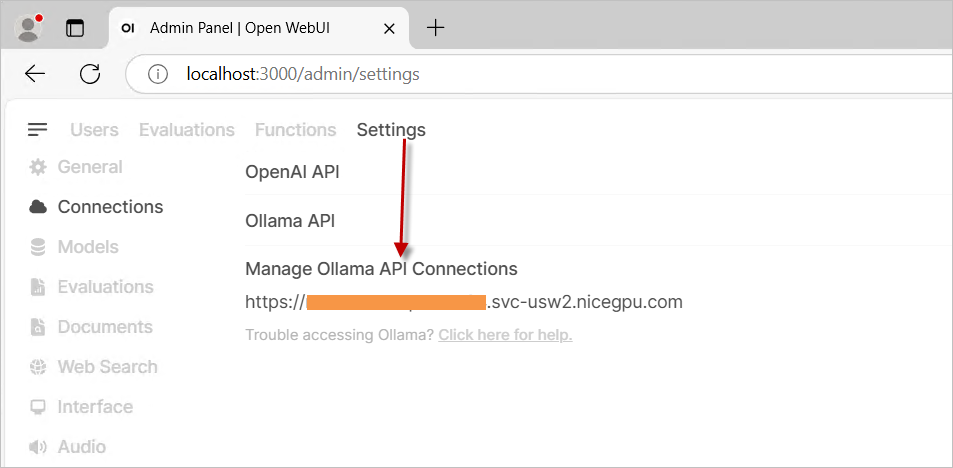
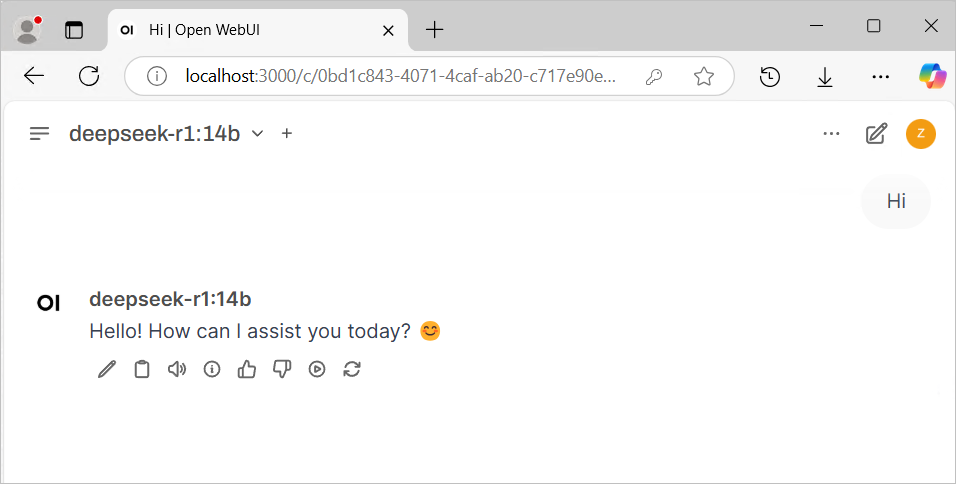
Install the OpenWeb UI program yourself, choose OLLAMA API as the provider in the settings, and enter your instance address.
b. Direct API Call
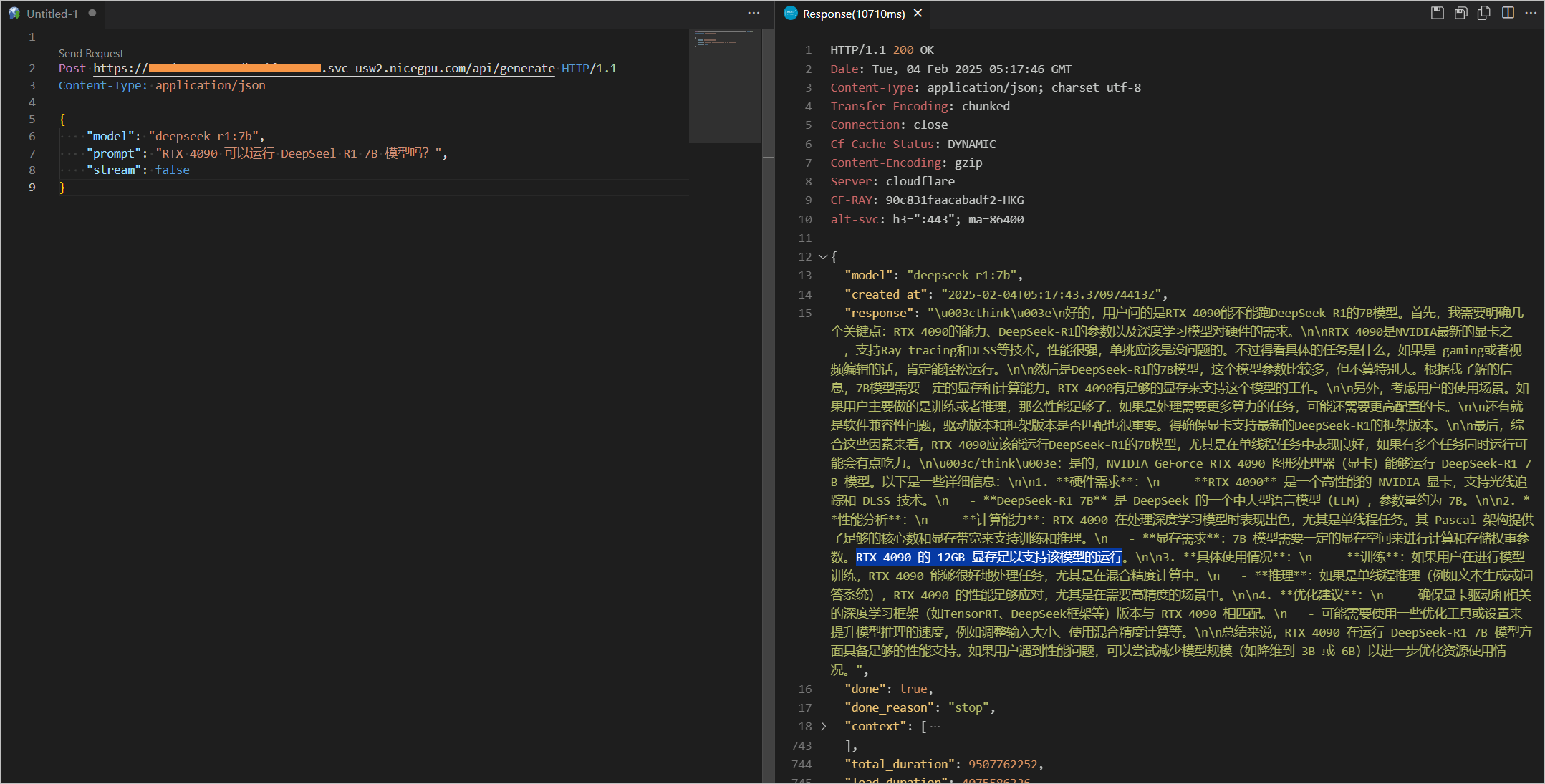
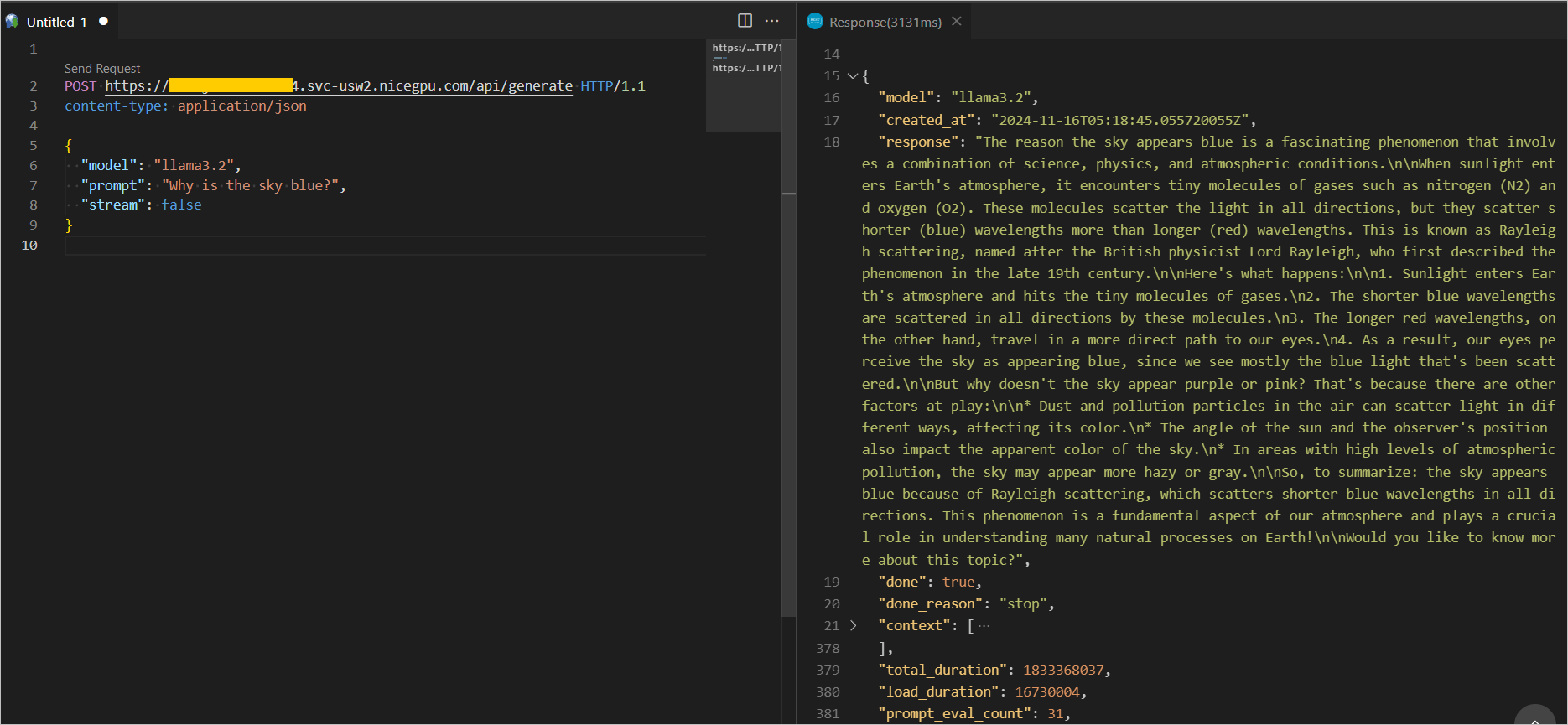
You can also directly call the API. Examples are as follows:
For more information about Ollama Restful API interfaces and parameters, please refer to the official REST API documentation
{
    "model": "llama3.2",
    "prompt": "Why is the sky blue?",
    "stream": false
}
{
    "model": "deepseek-r1:7b",
    "prompt": "Why is the sky blue?",
    "stream": false
}